


DmitriyCreations
Prop Activator Controller – Multi-Prop Sequential Timer Controller for Home Depot, Lowes & Spirit Halloween Animatronics
Prop Activator Controller – Multi-Prop Sequential Timer Controller for Home Depot, Lowes & Spirit Halloween Animatronics
Couldn't load pickup availability
Christmas shipping update, Nov 19: Current batch sold out
Already ordered? All controllers in the current batch are spoken for. Orders from this batch will begin shipping the week of November 23, after assembly and testing.
Ordering now? We’ve ordered another batch and expect it to arrive here within three weeks, by December 10. That’s when we expect to receive the controllers, not when your order will arrive. We’ll assemble and test each one before shipping.
Please plan ahead for Christmas. Carrier transit time is additional. Choosing faster shipping won’t shorten the wait for the next batch, and we can’t guarantee delivery before Christmas.
Need your order by a specific date? Email me before ordering. All Christmas sales final after Dec 25.
The Prop Activator Controller triggers up to 5 Halloween props in sequence — automatically cycling through your animatronics from Home Depot, Lowes, Spirit Halloween, or any prop with a step pad or try-me button. USB-C powered, OLED menu, and all settings saved to memory. No programming required.
Prop Activator — Multi-Prop Sequential Timer Controller for Home Depot, Lowes & Spirit Halloween Animatronics
Stop your props from all talking over each other. The Prop Activator Controller fires each prop one at a time with custom timing per channel — from 1 second to 20 minutes per prop. Set it up once through the OLED menu and your Prop Activator runs all season without touching it again.
3 Running Modes
- Sequential Mode — props fire in order, one after another, automatically cycling through all 5 channels of your Prop Activator
- Random Mode — props fire in unpredictable order so guests never know what's coming next
- Manual Mode — build your own custom activation sequence in any order you want. Place the same prop multiple times in the sequence, skip channels, or create complex patterns — you decide exactly when each prop fires and in what order. Full creative control over your haunt layout
Each mode supports automatic looping or manual trigger activation via motion sensor, step pad, or remote control. See all three modes in action on our Prop Activator Video Tutorial page.
2 Activation Types Per Prop
- 1-Second Pulse — quick trigger burst, ideal for jump-scare animatronics
- Full-Duration Hold — holds the activation for the entire timer duration, perfect for animated displays and longer scare sequences
Works With Store-Bought Animatronics
The Prop Activator Controller connects directly to the animatronics you already own:
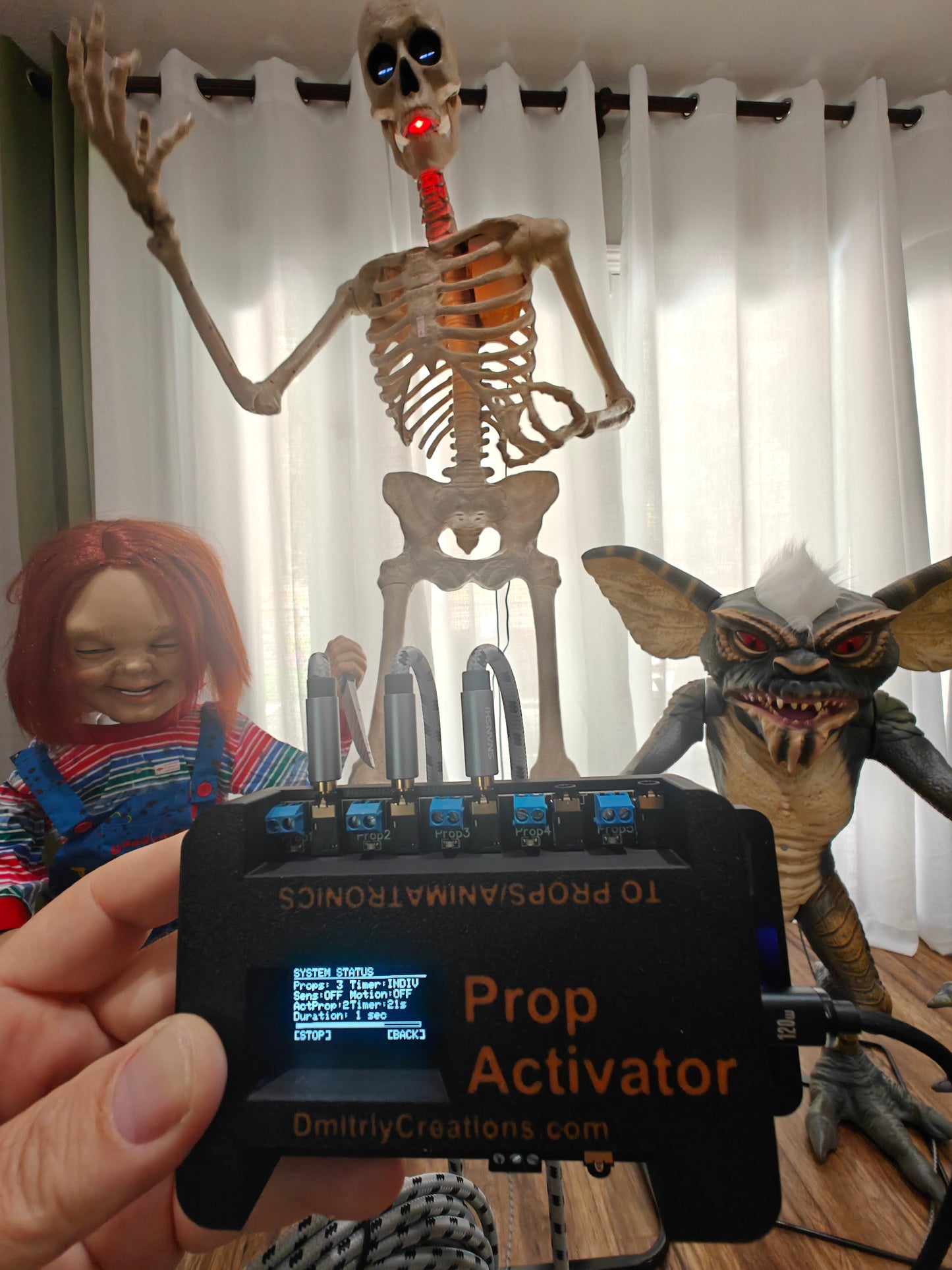
- Home Depot — 12ft Skeleton, Inferno, and all Home Accents Holiday animatronics (all step-pad activated props)
- Lowes — all animatronic props (some models require mono audio cable, all step-pad activated props)
- Spirit Halloween — all step-pad activated props
- Any prop with a try-me button — connect two wires to the blue 2-wire terminals
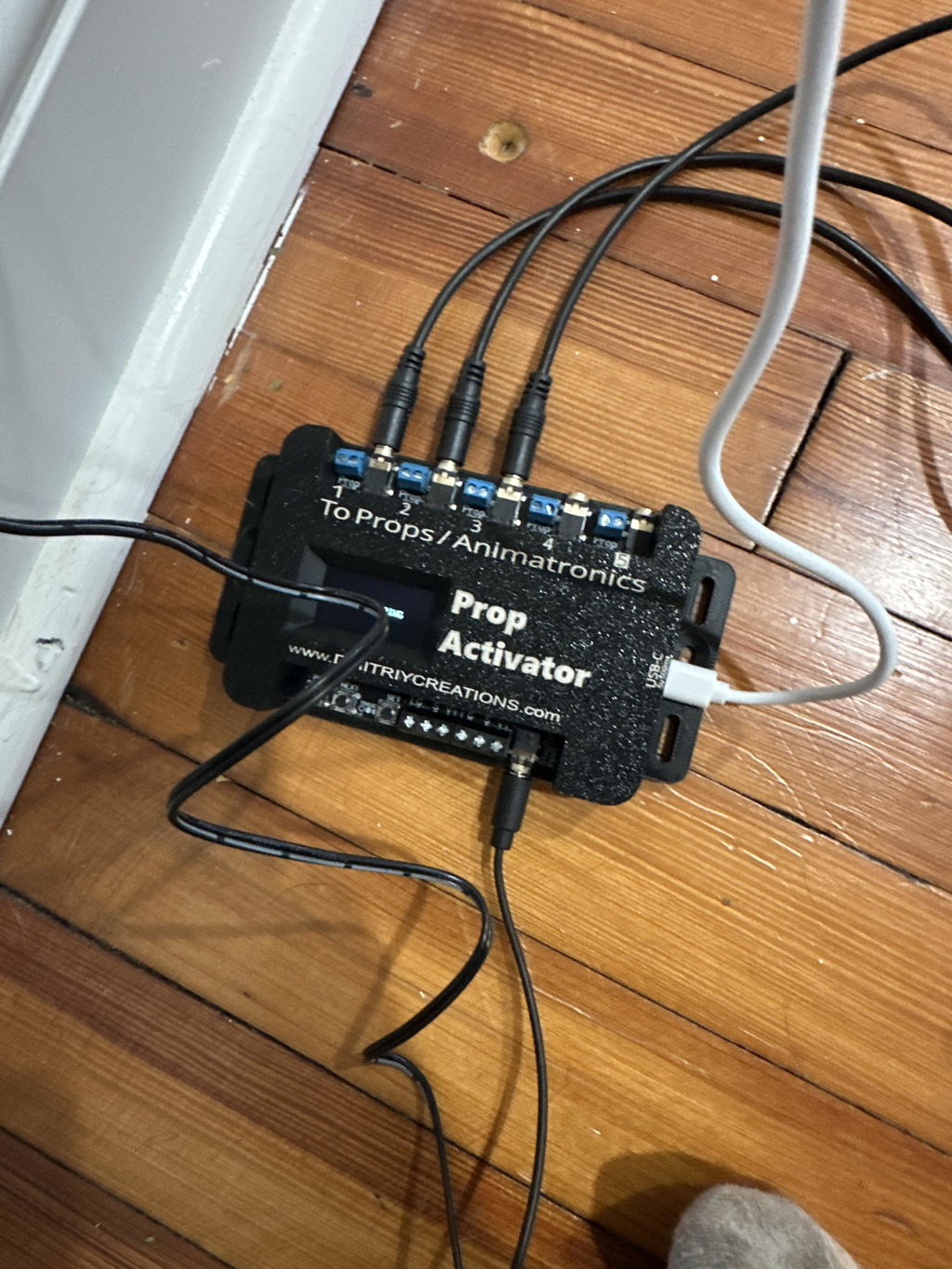
Connect via stereo or mono 3.5mm audio cable (recommended 3.5mm audio cable on Amazon) to the prop's step pad input. Most props work with a standard stereo cable. Some models (like certain Lowes animatronics) require a mono cable. Watch our step-by-step connection tutorial to see exactly how to wire your Prop Activator to each brand.
Choose how your props start
Select the trigger option you want when ordering your controller. The sensor, remote or button is included only when you choose that option.
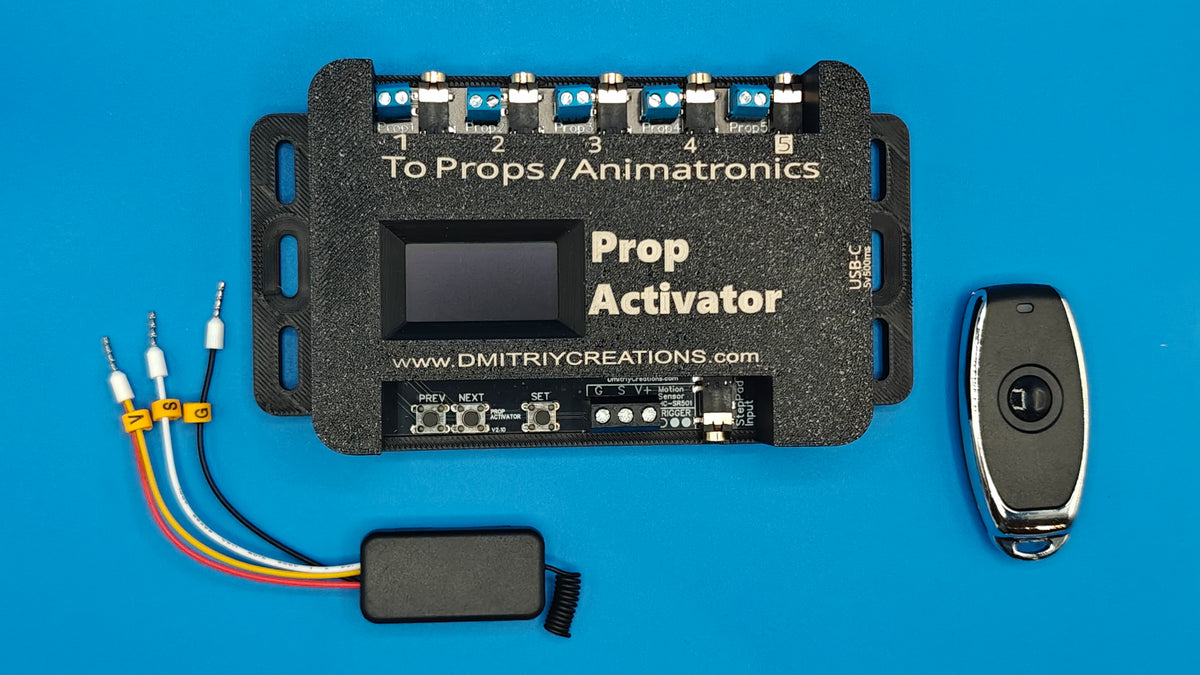
- Wireless Motion Sensor + Receiver: Start your display when someone walks by, without a long wire between the motion sensor and the controller. Includes the white Wireless Motion Sensor and the small black receiver.
- Wired Motion Sensor: Detect movement using a motion sensor with a 6 ft wire to the controller.
- Remote Control: Start your display by pressing the handheld remote. This option includes the remote and its black receiver.
- Push / Step Button: Start your display by pressing the button. Choose a 5 ft or 10 ft cord.
- No additional trigger: Use your own trigger or let the controller repeat your sequence in Loop Mode.
You can also use a step pad or connect multiple Prop Activators together for longer sequences.
New: Wireless Motion Sensor
Place the white motion sensor near the area where you want movement to start your display. The receiver is the small black box with a coiled antenna and labeled wires. Its wires connect to the Prop Activator, and it receives the signal from the motion sensor.

The Wireless Motion Sensor comes with two AAA batteries already installed. The mounting bracket is included separately. The motion sensor is not weatherproof; you must protect it from rain and moisture if using it outdoors.
Already own a Prop Activator? You can buy the Wireless Motion Sensor separately. If you already have the black receiver from your remote-control kit, choose Wireless Motion Sensor Only. You do not need a second receiver.
USB-C Powered — Use Any Phone Charger
Power the Prop Activator Controller with any standard 5V USB-C adapter — the same charger you use for your phone. Use a USB-A to USB-C cable for best results. No proprietary power supplies needed.
OLED Display & Settings Memory
Set up timing, activation modes, and sequence order through the intuitive OLED menu on your Prop Activator — no app or computer needed. All settings save to memory automatically and survive power loss. Plug it back in next Halloween and it picks up exactly where you left off. Full setup walkthrough available on our Prop Activator Tutorial page.
Perfect For
- Home haunts & professional haunted attractions
- Escape rooms & interactive art installations
- Halloween yard displays with multiple animatronics
- Christmas displays & holiday character sequences
- Retail window displays & museum exhibits
Setup video
Watch the Prop Activator tutorial for setup, timing adjustments, motion sensor wiring and examples using store-bought animatronics.
Watch the Prop Activator setup tutorial.
User manual
The manual explains wiring, the OLED menu, running modes, factory reset and troubleshooting.
Download the Prop Activator User Manual (PDF).
Designed & Built by DmitriyCreations
I design and build the Prop Activator hardware and its menu system. Questions about your setup? Contact me and I will help you choose the right trigger and connections for your props.




Let customers speak for us
The digital eyes were super simple to put into the skull and my prop "looks" amazing!

This thing worked flawless to activate all my props for Halloween and they made sure I received it in time. Great service and product!

Great buy! This was so easy to set up and works perfectly. Dmitry has provided easy to follow documentation and information on affordable additional parts to get (Audio cables in my case). FIVE STARS!!!
This it’s the second controller I’ve ordered. I only just started using the first one and was so impressed that I wanted a second one to Daisy chain for More props. Great product!
I appreciate the quality of the eyes and the effect they have on my sculpture. Best of all, though, is that DiMitry offers fabulous customer service. I bought mine last year. They weren't lighting after being stored for a year. It happened after it sat in an attic for 11 months. He resolved it promptly, in time for this year's event. I bought some of the large eyes for another prop, and they are fantastic.
Your LCD Digital Eyes Kit was unique, and pretty straight forward to install. I will be buying another pair for another prop I plan to add to my yard. Thanks Dmitry.
Too cool! Last year was chaotic with all the stick motion sensors tested it out yesterday and really like the product.
Great product , would do Buisness again
Awesome! Great product! Amazing customer service!

These are amazing. I love them!! Dimitry is incredibly helpful in working out any kinks. I highly recommend these digital eyes! They are the hit of the neighborhood every year!
Easy to program and works exactly as described. GREAT device! I highly recommend.
They are amazing!!!! I got everything that was promised!!! No regrets at all!
Great product so simple to use and great after purchase support. I had a lot of user errors and he walked me through every question I had and even helping me connect an animatronic from Sam’s Club that had a different foot press connection. This is a great item and my display is so much better with this
These controls are the BEST!! they are so easy to set up & it has made Halloween animatronics display more organized. It's great to hear them go off one at a time instead of sounding like I am at Home Dept on a Saturday afternoon. I plan to order more for Christmas.
Works great!! Now I push just one button instead of multiple buttons. Easy to set up. Highly recommended